The Psychological Shift: Navigating the Friction of Re-entry
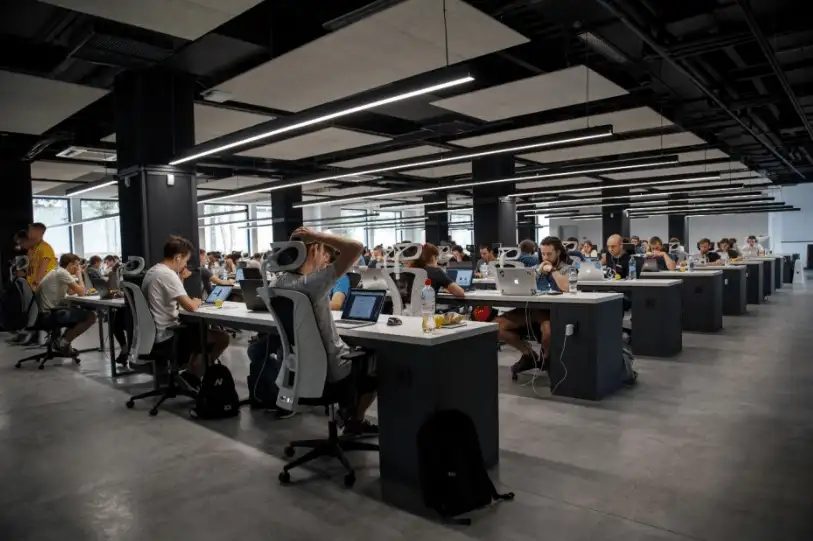
Transitioning from a fully remote setup back to an office or a hybrid schedule is more than just a change of scenery; it is a major psychological shift. For years, your home may have served as your office, gym, and sanctuary all at once. Returning to a communal workspace introduces sensory inputs, social expectations, and logistical hurdles that you have not had to manage on a daily basis for quite some time. The sudden loss of control over your immediate environment—such as lighting, temperature, and noise levels—can create cognitive friction, making tasks that felt effortless at home feel draining in an office setting.
According to research published in the Organizational Psychology Review by Kristie L. McAlpine and Matthew M. Piszczek, the loss of the "liminal space" provided by a daily commute can lead to role blurring and heightened stress. The commute historically served as a psychological buffer, allowing workers to detach from home roles and transition into work roles, and vice versa. When working entirely from home, this boundary dissolved, causing professional and personal responsibilities to bleed into one another. Returning to the office requires rebuilding this boundary, which can initially feel exhausting as your brain attempts to recalibrate to these distinct environments.
To ease this transition, acknowledge that your productivity levels and stamina might fluctuate initially. Give yourself permission to adapt slowly rather than expecting to instantly match your pre-pandemic office stamina. Give yourself grace as you rebuild your social battery and adjust to the cognitive load of a shared workspace. Plan for shorter, more focused work blocks during your first few weeks back, and allow yourself quiet moments throughout the day to decompress and process the sensory changes.
Sources: journals.sagepub.com, wfrn.org
Designing a High-Efficiency Commute Strategy
The commute is often the most jarring aspect of returning to a physical office. However, instead of viewing travel time as lost hours, you can actively reclaim it as a transition buffer. Utilizing the commute's liminal space for psychological detachment—such as listening to educational podcasts, reading, or practicing mindfulness—helps separate your professional life from your domestic life, reducing burnout. By intentionally structuring this time, you create a cognitive bridge that prepares you for the demands of the office and helps you wind down before arriving home.
To keep things practical and cost-effective, audit your transit options. If you drive, check if your employer offers pre-tax parking benefits or rideshare incentives. If you use public transit, set up an automatic transit card reload system, but keep it easily reversible so you can pause payments during vacation weeks or if your hybrid schedule changes. Compare the financial cost of driving (including fuel, tolls, parking, and vehicle wear) against the time cost of public transit. Sometimes, a slightly longer train ride is preferable to a shorter, high-stress drive because it allows you to read, work, or relax.
Additionally, consider sustainable commuting options. Incorporating physical activity, such as walking or biking to work, not only reduces your carbon footprint but also enhances physical and mental well-being, boosting your productivity. Because transit schedules, toll rates, and parking fees are subject to frequent changes, verify current rates and routes directly with your local transit authority or parking operator before committing to a long-term pass.
Sources: www.irs.gov
Rebuilding Morning and Evening Routines: The Incremental Shift
During remote work, morning routines often shrank to a five-minute walk from the bed to the laptop. Re-entering the physical workplace requires rebuilding a structured routine that accounts for grooming, breakfast, and travel. To make this shift sustainable, avoid making drastic changes overnight. Instead, start adjusting your sleep schedule incrementally by going to bed and waking up 15 minutes earlier each night until you reach your target wake-up time. This gradual adjustment prevents the physical shock of a sudden early morning alarm and helps maintain your circadian rhythm.
To reduce morning decision fatigue, prepare as much as possible the night before. Establish a simple checklist:
- Lay out your professional attire, including shoes and accessories.
- Pack your work bag with your laptop, chargers, notebooks, and security badges.
- Prep your lunch, portion out snacks, and set up your coffee maker on a timer.
This level of structure reduces the cognitive load of rushed mornings, allowing you to start your day in a calm state of mind. However, maintain flexibility: on your designated work-from-home days, you can modify this routine to enjoy a slower morning, keeping your weekly schedule adaptable yet sustainable. The goal is not to create a rigid, military-style schedule, but rather to eliminate friction points that cause morning anxiety.
Mastering Hybrid Calendar Blocking and Task Matching
A successful hybrid schedule relies on matching your tasks to your environment. According to Gallup, work location is not the primary driver of productivity; rather, management quality and intentional structure dictate success. Recent data shows that among remote-capable employees, approximately 52% operate in a hybrid model, spending an average of 46% of their workweek (about 2.3 days) on-site. To optimize your output within this framework, you must align your daily tasks with the physical environment best suited for them.
Use your office days for collaborative work, such as team brainstorming sessions, client meetings, performance reviews, and social networking. These activities benefit immensely from the spontaneous, high-bandwidth communication that physical proximity provides. Conversely, save your remote days for deep, focused work that requires quiet concentration, such as writing, coding, data analysis, or strategic planning. By separating these activities, you avoid the frustration of trying to do deep focus work in a noisy office or holding back-to-back virtual meetings while sitting next to your colleagues.
To implement this, color-code your calendar to distinguish between "in-office" and "at-home" tasks. Block out specific times for administrative chores, and make your calendar visible to your team so they know when you are available for face-to-face collaboration. Because company policies regarding core collaboration hours and "anchor days" are highly dynamic and subject to change, regularly consult your HR department or employee handbook to ensure your schedule aligns with current organizational mandates.
Sources: www.gallup.com
Establishing Hard Digital Boundaries to Prevent "Double Duty"
One of the hidden traps of transitioning from remote work to a hybrid model is "double duty"—the tendency to work full office hours and then log back in at home because you are still accustomed to your remote habits. When your home was your office, the physical boundaries of the workday were blurred, leading to a habit of checking emails late into the night. Without intentional boundaries, the constant connectivity of modern workplace tools can erode your mental health and lead to chronic stress.
To prevent burnout, establish clear digital boundaries. Set your work communication tools, such as Slack, Microsoft Teams, or email, to automatically turn off notifications at a specific time each evening. Communicate your active hours clearly to your colleagues, and update your status to reflect when you are commuting or offline. This sets clear expectations and reduces the pressure to respond to non-urgent messages outside of working hours.
If you find yourself tempted to check messages outside these hours, remove the apps from your personal phone and access them only through a web browser or your work laptop. This simple, reversible friction makes it much easier to disconnect physically and mentally, allowing your nervous system to exit the constant state of alertness associated with workplace demands. Remember, being responsive is important, but establishing boundaries is essential for long-term professional sustainability.
Optimizing Your Physical Workspace: Ergonomics, Hot-Desking, and ADA Rights
Many modern hybrid offices utilize hot-desking or hoteling, where employees do not have assigned desks. While this maximizes office space for employers, it introduces significant ergonomic challenges for workers. Frequent user changes and non-personalized work environments significantly increase the risk of neck pain, back pain, and repetitive strain injuries. When you sit at a different desk each day, you lose the benefit of a customized setup, which can lead to poor posture and physical fatigue.
To protect your physical health, take control of your temporary workstation. Follow these ergonomic best practices:
- Adjust the chair height so your feet rest flat on the floor and your knees are at a 90-degree angle.
- Position the monitor so the top of the screen is at or slightly below eye level, roughly an arm's length away.
- Keep your keyboard and mouse close enough to prevent overreaching, keeping your elbows bent at a 90-degree angle.
Consider packing a "mobile office" kit containing a portable laptop stand, an ergonomic mouse, and a compact keyboard. This allows you to quickly configure any hot-desk into an ergonomically sound workspace.
While the Occupational Safety and Health Administration (OSHA) provides general advisory guidelines for workplace safety, it does not govern individual legal rights or the formal request process for personalized accommodations. Instead, these rights are legally protected under the Americans with Disabilities Act (ADA). Under the ADA, if you experience chronic pain, repetitive strain injuries (such as carpal tunnel syndrome), or other physical limitations, you have the right to request reasonable accommodations. To initiate this process, you must notify your employer—typically through HR or your direct supervisor—of your medical need. Crucially, you do not need to use "magic words" like "ADA" or "reasonable accommodation" to trigger this right. Once notified, your employer is legally obligated to engage in a timely, good-faith "interactive process." This is an informal, collaborative dialogue designed to identify and implement an effective solution, such as an ergonomic chair, a sit-stand desk, or specialized input devices, unless doing so would impose an undue hardship on the organization.
Sources: adata.org, www.eeoc.gov
Navigating Social Battery Depletion and Office Politics
While digital connections are essential, they cannot replace the value of real human connection. Data from Microsoft's Work Trend Index indicates that a vast majority of employees are motivated to go into the office specifically to socialize and build community. In fact, 84% of employees would be motivated to go to the office if they could socialize with coworkers, and 85% would be motivated by the opportunity to rebuild team bonds. However, returning to a bustling office environment can quickly deplete your social battery, leading to sensory overload and exhaustion.
To manage this, pace your social interactions. You do not need to attend every coffee break, happy hour, or group lunch. Schedule quiet blocks during your office days to recharge, such as taking a solo walk during lunch, utilizing designated quiet zones in the office, or wearing noise-canceling headphones when you need to focus. This allows you to enjoy the benefits of collaboration without feeling overwhelmed by constant social stimulation.
When navigating office politics and casual conversations, set polite but firm boundaries. If a colleague's casual chat stretches too long and begins to impact your work, use transition phrases like, "I've loved catching up, but I need to dive into this project before my next meeting." Balancing social connection with personal boundaries allows you to rebuild professional relationships and maintain visibility without sacrificing your mental well-being.
Sources: www.microsoft.com

Meal Prep and Nutrition Logistics for the Hybrid Worker
One of the most overlooked expenses and logistical hurdles of returning to the office is daily nutrition. Relying on takeout, local cafes, or office vending machines can quickly drain your budget and negatively impact your energy levels. The convenience of having a fully stocked home kitchen is replaced by the limitations of communal office spaces, making a deliberate approach to meal planning essential for both your wallet and your health.
To manage this efficiently, adopt a batch-cooking strategy. Prepare versatile ingredients—such as roasted vegetables, grains, and proteins—over the weekend, and portion them into portable containers. This reduces the time spent preparing food during the busy workweek and ensures you always have a healthy meal ready to go. Focus on meals that taste good cold or require minimal microwave time to avoid long lines in the office kitchen.
Additionally, familiarize yourself with office kitchen etiquette and amenities. Ensure you have access to a refrigerator and microwave, and pack a small insulated bag with an ice pack if storage space is limited or unreliable. Keep healthy, non-perishable snacks like nuts, seeds, dried fruit, and oatmeal at your desk to avoid mid-afternoon energy crashes. Staying hydrated is equally crucial; bring a reusable water bottle and set reminders to drink water throughout the day, especially in dry, air-conditioned office environments.
Managing Wardrobe Transitions and Professional Presentation
Transitioning from the ultimate comfort of remote work attire (such as sweatpants and slippers) to professional office wear can feel restrictive and uncomfortable. However, your professional presentation still plays a role in workplace dynamics and your own psychological state, a concept known as "enclothed cognition." Research suggests that the clothes we wear can influence our psychological processes, confidence, and cognitive performance. Dressing professionally can help you mentally transition into "work mode" and project authority.
To ease this transition, build a "hybrid capsule wardrobe." Focus on high-quality, versatile pieces that combine professional aesthetics with physical comfort, such as stretch-weave trousers, soft knit blazers, breathable fabrics, and comfortable loafers or flats. By selecting items that can be mixed and matched, you simplify your morning routine and reduce decision fatigue.
Before purchasing new clothing, audit your existing wardrobe to see what still fits and aligns with your company's current dress code, which may have become more casual post-pandemic. If you need to update your wardrobe, do so gradually and cost-effectively by utilizing consignment shops, online marketplaces, or department store sales. Because corporate dress codes have evolved significantly and vary widely by industry, verify current expectations with your HR department or team lead before investing in new professional attire.
Financial Auditing: Calculating the True Cost of Returning to the Office
Returning to a physical workspace introduces several hidden costs that can disrupt your personal budget. These expenses include fuel, public transit fares, parking fees, professional wardrobe updates, convenience meals, and potential pet care or childcare costs. When working from home, these expenses were largely minimized, making the sudden reintroduction of commuting costs a significant financial adjustment.
To maintain financial wellness, conduct a comprehensive financial audit. Track your expenses during your first month of hybrid work to calculate the true cost of your office days. Create a spreadsheet to log transit costs, food purchases, and any other incidental expenses related to your commute. This data will give you a clear picture of how your spending habits have changed.
Once you have clear data, look for areas to optimize:
- Utilize pre-tax commuter benefits offered by your employer, which allow you to pay for transit and parking using pre-tax dollars.
- Pack your lunch and brew your own coffee instead of buying takeout.
- Explore carpooling, rideshare programs, or public transit passes to split fuel and parking costs.
Since fuel prices, transit fares, and parking rates fluctuate constantly, check local operators and financial resources to ensure your budget reflects current pricing. Regularly reviewing your budget allows you to make informed adjustments and mitigate the financial impact of returning to the office.
Sources: www.irs.gov
Advocating for Flexible Arrangements: A Data-Driven Approach
The transition back to a shared workspace is not a one-size-fits-all process. If you find that your current hybrid schedule is negatively impacting your productivity, mental health, or work-life balance, you can advocate for a more suitable arrangement. However, rather than making an emotional plea, present a data-backed case to your manager that highlights how flexibility benefits both you and the organization.
According to Gallup, hybrid schedule determination is split almost equally across three models: 34% are entirely self-determined, 35% are determined by the manager or team, and 31% are set by employer mandates. Because employers are gradually asserting more influence over hybrid schedules, presenting a structured, outcome-focused proposal is critical. Focus on outcomes rather than inputs. Track your own productivity metrics, such as focus efficiency, task completion rates, and project delivery times, across both remote and in-office days. Show how your performance remains strong—or even improves—when you have the flexibility to manage your environment.
When proposing a schedule adjustment, align your request with organizational goals. For example, suggest a trial period of a modified schedule (e.g., adjusting from three office days to two) and agree on specific key performance indicators (KPIs) to measure success. Frame the request around maximizing your output and collaboration efficiency. Because hybrid work policies are highly dynamic and subject to change based on macroeconomic trends and leadership decisions, remain open to ongoing experimentation and regular check-ins with your supervisor.
Sources: www.gallup.com